 首页
首页  网站论坛圈子
 每日快讯New
Blender插件推荐:Construction Lines v0.9.6.9.1详解
Construction Lines是一款用于准确建模的CAD风格工具,可创建可捕捉的指导点和边缘,绘制线条和基本形状,自动在封闭几何体中创建面,精确移动、复制和旋转场景中的几何体,并通过挤出切割网格。
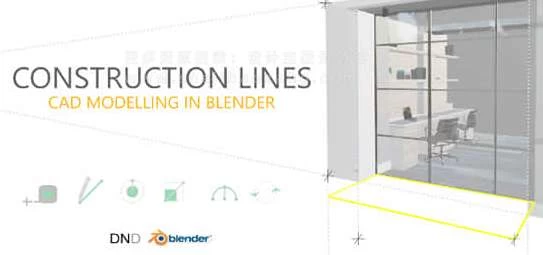
Construction Lines的主要功能特点:
- CAD风格建模:支持精确的CAD风格建模,可用于构建精确的模型。
- 指导点和边缘:创建可捕捉的指导点和边缘,有助于准确建模。
- 绘制基本形状:支持在现场绘制矩形、圆形和弧线,无需在Blender的3D光标上定义添加位置。
- 自动创建面:在封闭几何体中绘制形状时,自动创建面,简化建模流程。
- 支持多种版本:支持Blender 2.91及更高版本,保证了插件的兼容性和稳定性。
推荐系统要求:
- Blender软件版本:2.91, 2.92, 2.93, 3.0, 3.1, 3.2, 3.3, 3.4, 3.5, 3.6, 4.0, 4.1
延伸阅读:
- CAD风格建模技巧分享:探索如何利用Construction Lines插件进行CAD风格建模,提高建模效率和精度。
- Blender插件应用案例展示:了解其他Blender插件的应用案例,拓展建模工具的使用范围。
Construction Lines is a tool for accurate CAD style modelling. Build snappable guide points and edges, draw lines and primitive shapes in place, automatically create faces in closed geometry, precisely move, duplicate and rotate geometry around a scene and cut-through meshes with extrude.
Guide edges and points allow for a construction workflow where guides are set and models are then constructed within these guides. The guides won’t interfere with model geometry and can be toggled off and on when required. Guide edges will disappear when working outside of Construction Lines and neither Guide Edges nor Guide Points will be rendered.
Construction Lines allows for rectangles, circles, and arcs to be drawn in place from precise snap points on existing geometry or guides. These can be drawn from anywhere on a 3D model without the need for Blender’s 3D cursor to define an Add location. Drawing shapes onto existing faces will automatically cut into the existing face.
